Game Dev Articles
Sep 4, 2026 · 9 min read · DMG Forge
Unity Dev Tools Vendor Selection Criteria: A Technical Framework for Choosing Your Toolchain
The Cost of Picking the Wrong Vendor: Why Your Selection Matters Now Every asset store purchase and every third-party SDK integration is a contract you don't read until it's too late. Unity dev tools vendor selection...
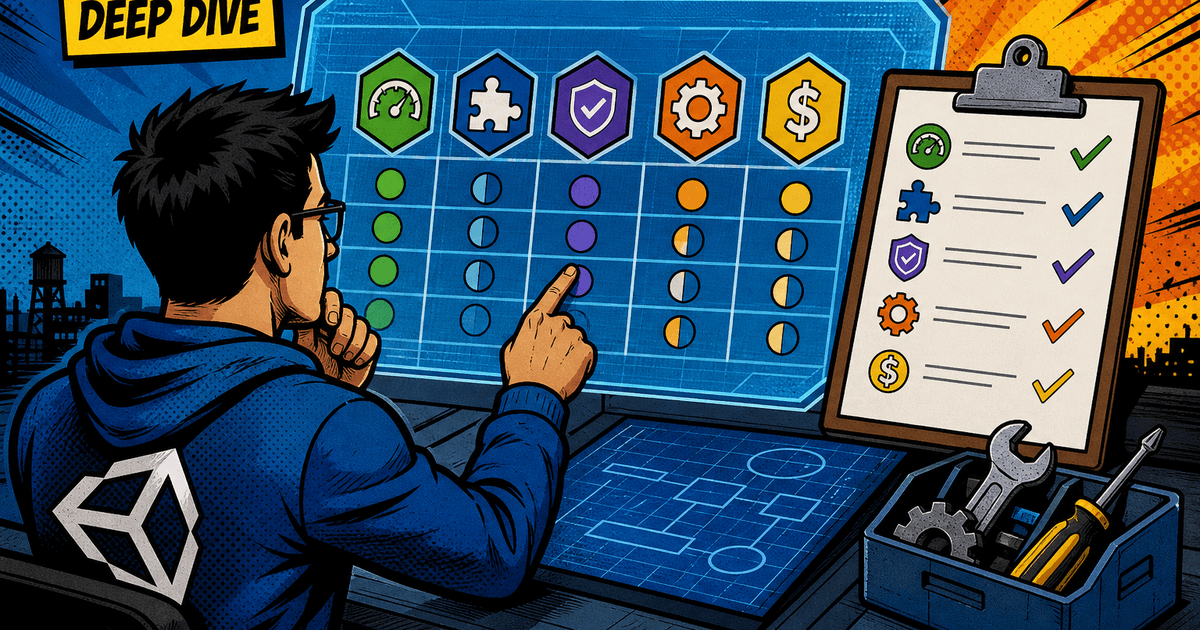
The Cost of Picking the Wrong Vendor: Why Your Selection Matters Now
Every asset store purchase and every third-party SDK integration is a contract you don't read until it's too late. Unity dev tools vendor selection criteria aren't a procurement checklist you fill out once and forget - they're the difference between shipping on schedule and rewriting your save system six months into production because the vendor abandoned their package.
The wrong tool doesn't fail loudly. It fails quietly, in the form of longer build times, editor crashes that only happen on Tuesdays, and a support ticket queue that never gets answered. By the time you notice, you've built three systems on top of it.
This is technical debt with a vendor's name attached to it. You don't get to renegotiate the terms after your team has shipped two updates depending on that plugin's API. Treat vendor selection as an architecture decision, not a shopping trip.
Performance Impact: Measure Build Times and Runtime Overhead Before Committing
Any vendor claim about performance is marketing copy until you profile it yourself. Don't take "lightweight" or "zero overhead" at face value - import the trial version into a clean project that mirrors your actual target platform and measure.
Specifically:
- Build time delta. Time a full clean build and an incremental build before and after adding the package. A tool that adds 90 seconds to every incremental build will cost your team hours per week once you multiply it across iteration cycles.
- Runtime allocation footprint. Open the Unity Profiler and check GC Alloc per frame with the tool active versus inactive. Vendors that rely on reflection or heavy LINQ usage under the hood will show up here immediately.
- Editor responsiveness. Some tools hook into
OnValidate, asset import pipelines, or custom inspectors that redraw on every frame. Check the Editor's own profiler (Window > Analysis > Profiler, switch to Editor mode) for spikes tied to the plugin's assemblies. - Player build size. Check the build report (Editor.log or the Build Report window) for how many megabytes the vendor's DLLs and assets are adding, especially if you're targeting mobile.
Run this test on your actual target hardware, not just the editor. A tool that feels instant on your dev machine can add real frame time on a mid-range Android device. If the vendor can't answer basic questions about IL2CPP compatibility or Burst compatibility, that's your answer on runtime cost - go find out yourself before you sign a PO.
Integration Depth: Verify Native Unity Editor Support and API Stability
A tool that bolts onto Unity through reflection or file-system hacks instead of the actual Editor API is a tool that will break on the next Unity LTS upgrade. Before adopting anything, check how deep the integration actually goes.
Look for:
- Package Manager compliance. Is it distributed as a proper UPM package with a
package.json, or is it a loose folder you drag into Assets? UPM packages are versioned, dependency-resolved, and easier to remove cleanly. - Editor API usage over hacks. Does it use
AssetPostprocessor,EditorWindow,ScriptableObject, andSerializedPropertythe way Unity intends, or does it manipulate.metafiles and scene YAML directly? The latter is fragile across Unity versions. - Assembly Definition files. Check whether the vendor ships proper
.asmdeffiles. Without them, your compile times balloon because the entire codebase recompiles on every script change instead of just the affected assembly. - Documented API surface. A stable public API means the vendor has actually thought about versioning. If their changelog shows breaking changes in every minor release, that instability becomes your instability.
- Render pipeline compatibility. Confirm explicit support for whichever pipeline you're on - Built-in, URP, or HDRP. "Compatible with Unity 2021+" is not the same claim as "tested against URP 14."
Clone a sample scene, break something on purpose - delete a required component, force a null reference - and see how the tool fails. Clean exceptions with stack traces beat silent failures every time. If it corrupts your scene file or throws unhandled exceptions that crash the editor, that's a signal to walk away regardless of feature list.
Vendor Stability and Support: Assess Maintenance Cadence and Issue Response
A brilliant tool from a vendor who's gone quiet is a liability with a countdown timer. Before you standardize on anything, check the vendor's actual maintenance behavior, not their marketing promises.
Check these signals directly:
- Release cadence. Pull up the changelog or GitHub release history. A tool with no updates in 12+ months, especially through a major Unity LTS transition, is a red flag regardless of how good v1.0 was.
- Issue response time. If the vendor has a public issue tracker, read the last 20 closed issues and note the average time to first response. Anything beyond a week suggests you're on your own when something breaks.
- Compatibility commitment. Search their changelog or forum posts for explicit mentions of Unity version support - "Verified with 2022.3 LTS" is a real signal; silence on the topic is not.
- Community size. A tool with an active Discord or forum thread means other developers are hitting the same bugs you will, and someone's likely already posted a workaround.
- Company or maintainer structure. A solo developer maintaining a critical pipeline tool part-time is a different risk profile than a funded company with a support SLA. Neither is automatically disqualifying, but you need to know which one you're depending on.
If you can't get a straight answer to a pre-sales support question within a couple of business days, that's your preview of post-sales support. Don't ignore it because the feature demo looked good.
Licensing and Scaling Economics: Calculate True Cost Across Team Size and Project Lifecycle
The sticker price on the asset store page is rarely the number that matters. Model the actual cost across your team size and project timeline before you commit budget.
Run the math on:
- Per-seat versus per-project licensing. A $60 per-seat tool looks cheap until your team grows from 4 to 15 developers. Confirm whether pricing is per-seat, per-project, or a flat studio license, and project that cost forward against your hiring plan.
- Runtime royalties. Some tools - particularly analytics, backend, or multiplayer SDKs - charge based on MAU, revenue share, or CCU. Read the pricing tier boundaries carefully; a tool that's free under 10,000 MAU can become a five-figure monthly line item after a successful launch.
- Renewal and maintenance fees. Distinguish a one-time purchase from a subscription. Some asset store tools are one-time with free major updates; others require an annual renewal to keep receiving fixes.
- Multi-project usage rights. If your studio ships multiple titles, check whether the license covers one project or your whole studio. Per-project relicensing across a five-title slate adds up fast.
- Total cost of ownership, not license cost. Factor in the engineering hours needed to integrate, customize, and eventually maintain the tool if the vendor stalls. A "free" open-source tool with no maintainer can cost more in engineer-hours than a $500 commercial license with responsive support.
Build a simple spreadsheet: license cost, projected team size at 6 and 12 months, and estimated integration hours. If the number surprises you, it should change your shortlist before it changes your budget approval request.
Migration Risk: Understand Lock-in Before You Standardize on a Tool
Every tool you adopt has an exit cost, and you should know that number before you pay the entry cost. Lock-in isn't inherently disqualifying - but going in blind is.
Evaluate lock-in along these axes:
- Data format ownership. Does the tool store data in Unity-native formats (ScriptableObjects, JSON, standard prefabs) or a proprietary binary format only its own runtime can read? Proprietary formats mean a migration later requires a full data conversion pass.
- Code coupling surface. Estimate how many of your gameplay scripts will directly reference the vendor's namespaces and classes. A tool confined behind an interface layer you control is far cheaper to swap than one whose API calls are scattered across 200 files.
- Export capability. Check explicitly whether the vendor supports exporting your data or configuration to a standard format. If there's no export path, you're not licensing a tool - you're renting a dependency.
- Historical precedent. Search for similar tools that were deprecated or acquired and check community threads for how painful that migration was. Vendor acquisitions by larger companies frequently precede price hikes or feature sunsetting.
The mitigation is architectural, not just a vendor question: wrap third-party APIs behind your own interfaces wherever feasible. It costs you a day of extra work up front and saves you weeks if you need to rip the vendor out later.
Making the Final Call: Decision Matrix and Go/No-Go Checklist
Score every serious candidate against the same criteria instead of relying on gut feel after a slick demo. A simple weighted matrix keeps the decision defensible and repeatable across future tool evaluations.
| Criterion | Weight | Score (1-5) | Weighted Score |
|---|---|---|---|
| Performance overhead | 20% | ||
| Editor integration depth | 20% | ||
| Vendor maintenance cadence | 20% | ||
| Licensing cost at scale | 20% | ||
| Migration/lock-in risk | 20% |
Before you sign off, run this go/no-go checklist:
- [ ] Profiled build time and runtime allocation on target hardware, not just the editor
- [ ] Confirmed UPM packaging and
.asmdefpresence - [ ] Verified render pipeline and Unity version compatibility explicitly, not inferred
- [ ] Checked vendor's last three release dates and issue-response history
- [ ] Modeled licensing cost at current and 12-month-projected team size
- [ ] Identified an export or migration path for the tool's data
- [ ] Wrapped vendor API calls behind an internal interface layer
If a candidate fails two or more checklist items, it's a no-go regardless of how good the feature set looks in the demo video. The demo isn't what you'll be maintaining in production - the vendor's roadmap, support queue, and API stability are. Pick the tool you can live with in eighteen months, not the one that impressed you in the pitch.
Related Reading
Article complete
XP lands automatically when you reach the end.
Rate this article
Comments
Comments are held for moderation before appearing publicly.