Game Dev Articles
Sep 23, 2026 · 8 min read · DMG Forge
Unity Dev Tools Common Myths Debunked: What Actually Works in Production
Unity Dev Tools Are Only for Large Teams: The Real Cost Boundary This is the most persistent lie solo devs tell themselves. Somewhere along the way, "dev tools" got coded as enterprise-only infrastructure - something...
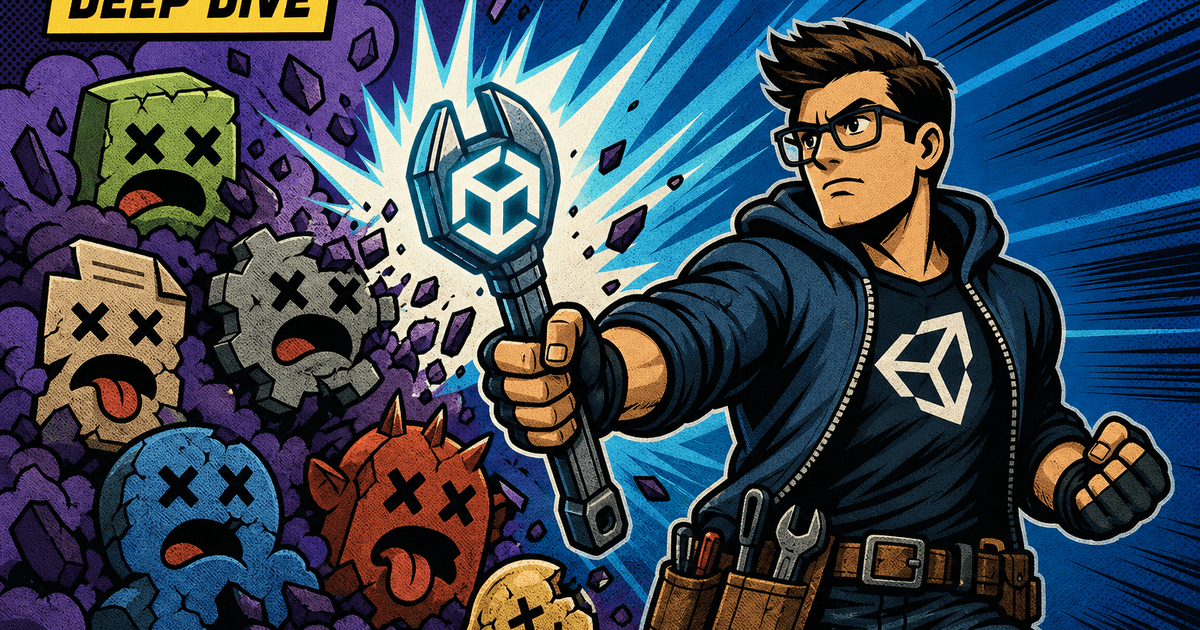
Unity Dev Tools Are Only for Large Teams: The Real Cost Boundary
This is the most persistent lie solo devs tell themselves. Somewhere along the way, "dev tools" got coded as enterprise-only infrastructure - something you adopt after you've got a producer, a build engineer, and a Slack channel for CI failures. That's backwards. Unity dev tools common myths debunked usually starts here, because the cost boundary isn't team size, it's project complexity and time horizon.
A one-person project with three scenes and a handful of prefabs doesn't need Addressables or a custom editor pipeline. But the moment you're iterating on more than a dozen prefab variants, managing scene references across builds, or shipping updates post-launch, you've crossed the line where manual asset management starts costing you hours per week. That threshold hits solo devs and five-person teams at roughly the same complexity point - not the same headcount.
The real cost boundary is this: if your project will outlive a single milestone, tooling investment pays for itself. If you're prototyping something you'll throw away in a week, skip it. Everything else is a headcount myth.
Myth: You Need to Buy Premium Tools to Optimize Your Workflow
Unity's Asset Store is full of excellent paid tools, and some are worth every dollar. But the belief that optimization requires a purchase is false, and it leads teams to skip the free tooling that would've solved 80% of their problem.
Before you open your wallet, check what's already sitting in your Editor:
- Profiler and Frame Debugger - free, built-in, and more capable than most third-party alternatives for diagnosing CPU/GPU bottlenecks.
- Addressables - free, and it replaces the asset bundle management systems people pay for.
- Timeline and Cinemachine - free, cover most cutscene and camera work that paid plugins duplicate.
- Custom Editor scripts - free to write, and they solve workflow-specific pain points that generic paid tools can't, because they're built around your exact data structures.
Paid tools make sense when they save you build time you can't get back - a serialization framework, a versioning system, a specialized shader tool. But "optimize your workflow" is not synonymous with "spend money." Evaluate the free tier first. If it doesn't get you 90% of the way there, then buy.
Myth: Built-in Tools Are Always Slower Than Third-Party Alternatives
This myth survives because early versions of Unity's built-in systems genuinely were slower - the old UI system, the old particle system, early Addressables. People got burned once and never revisited the assumption. That's stale data driving current decisions.
Modern Unity built-ins are frequently faster than third-party equivalents because they're integrated at the engine level instead of running as a layer on top of it:
- Burst-compiled jobs outperform hand-rolled C# solutions in almost every CPU-bound case, and they outperform most plugin-based job systems because they're compiled against Unity's own scheduler.
- UI Toolkit now beats many legacy uGUI-based third-party UI frameworks for large, dynamic UI counts, because it doesn't carry canvas rebuild overhead the same way.
- Unity's native Profiler markers give you lower-overhead instrumentation than most third-party analytics SDKs bolted on for the same purpose.
The correct test isn't "built-in vs. third-party" as categories - it's benchmarking your specific use case. Third-party tools win when they solve a problem Unity doesn't address at all (advanced version control diffing, specialized shader graphs, node-based dialogue systems). They lose when they're reimplementing something Unity already does natively, because they can't touch the same low-level hooks.
Myth: Dev Tools Add Overhead You Can Strip Before Shipping
This one causes real production incidents, not just wasted time. Teams treat dev tools as separable from the build - something you can rip out at the end without consequence - and then discover at 2 AM before a submission deadline that half their debug logging is load-bearing.
The mistake is conflating two different categories:
- Editor-only tooling - custom inspectors, editor windows, scene validation scripts. These live under
#if UNITY_EDITORand never touch your player build. Zero cost. - Runtime dev tools - in-game debug consoles, verbose logging, telemetry hooks, cheat menus for QA. These have real runtime cost and need explicit stripping strategy, not an afterthought.
If you're wiring debug systems directly into gameplay code without conditional compilation, you're accumulating technical debt that compounds silently until a submission deadline forces you to pay it off in a panic. The fix is cheap and should happen on day one:
- Wrap runtime-only debug code in custom scripting define symbols (
DEVELOPMENT_BUILD, or your ownDEBUG_TOOLSsymbol). - Set Managed Stripping Level to High or Aggressive for release builds and verify nothing debug-related survives via a post-build log scan.
- Never rely on "I'll remember to delete this" - that's not a strategy, it's a bug ticket waiting to be filed.
A ten-minute setup of proper conditional compilation today prevents a four-hour build-stripping session the night before you submit to a platform holder.
Myth: A Single Tool Suite Handles All Your Pipeline Needs
Vendors love to sell "complete solutions." Unity itself sometimes markets Addressables, Cloud Build, and Analytics as if they form one seamless pipeline. In practice, no single suite covers asset management, build automation, version control, QA tooling, and analytics equally well - because each of those domains has different failure modes and different vendors optimizing for different things.
Trying to force one tool to do everything usually produces one of two outcomes:
- You bend your pipeline to the tool's limitations, accepting worse asset organization or slower builds because "the suite handles it."
- You bolt on workarounds that recreate the exact fragmentation you were trying to avoid, except now it's undocumented and tribal-knowledge-dependent.
The production-proven approach is a modular stack where each tool does one job well and integrates cleanly with the others:
- Addressables for content management.
- A dedicated CI system (Jenkins, GitHub Actions, or Unity Cloud Build) for automated builds.
- Perforce or Git with LFS for version control, chosen based on binary asset volume.
- A separate analytics/telemetry SDK if your publisher requires specific data contracts the built-in Analytics package doesn't satisfy.
Pipeline design isn't about minimizing tool count. It's about minimizing integration friction between the tools you actually need.
Myth: Tool Selection Happens Once, Not Throughout Development
Teams treat tool selection like a single decision made in pre-production and locked forever. That mindset produces exactly the kind of technical debt that compounds silently - a build system chosen for a 10-person team still limping along at 40 people, an asset pipeline built for 2D sprites now straining under a 3D content pivot.
Your tool stack needs re-evaluation at specific inflection points, not on a calendar schedule:
- Team size doubles or halves - collaboration tools and version control workflows that worked at one scale often break at another.
- Platform target changes - mobile-first tooling assumptions (aggressive texture compression, stripped shader variants) don't transfer cleanly to console or PC targets.
- Content volume crosses an order of magnitude - an asset pipeline handling 500 assets behaves very differently at 5,000, especially around Addressables group sizing and bundle load times.
- A dependency goes unmaintained - third-party plugins get abandoned constantly; if your last plugin update predates the last two Unity LTS releases, that's a flag, not a coincidence.
Budget a recurring tooling audit - quarterly for active production, more frequent during crunch scaling - where you explicitly ask whether your current stack still matches your current project shape. Skipping this isn't neutral; it's a decision to let debt accumulate.
What Actually Matters When Choosing Your Dev Tool Stack
Strip away the myths and the actual selection criteria are narrow and concrete. Evaluate every tool - free, paid, built-in, or third-party - against these:
- Does it solve a measured bottleneck? Profile first. Don't adopt a tool because it's popular; adopt it because you have Profiler data showing where time is actually going.
- What's the maintenance cost? A tool that saves you two hours a week but requires four hours of monthly upkeep isn't a net win. Check plugin update cadence and community activity before committing.
- Does it integrate with your existing pipeline, or fight it? A tool that requires you to restructure your project around it is a liability, not a convenience.
- Can you strip or disable it cleanly for release builds? If a tool doesn't support conditional compilation or clean removal, that's a red flag regardless of what it does at runtime.
- Does it scale with your project's trajectory? Choose based on where the project is heading in six months, not just its current state.
The teams that ship on schedule aren't the ones with the biggest tool budget or the fanciest suite. They're the ones who evaluate tools against actual bottlenecks, revisit those decisions as the project changes, and refuse to let "we've always used this" substitute for a real cost-benefit analysis. That discipline is the entire difference between a pipeline that scales and one that quietly buries you in debt you don't notice until submission week.
Related Reading
Article complete
XP lands automatically when you reach the end.
Rate this article
Comments
Comments are held for moderation before appearing publicly.