Game Dev Articles
Aug 31, 2026 · 8 min read · DMG Forge
Unity Dev Tools Budget Planning Guide: Allocate Resources Without Overspending
Your Toolchain Costs Real Money-Start With Visibility Every Unity Asset Store purchase, every CI/CD subscription, every extra Unity Pro seat adds up faster than teams admit. If you can't list every tool your studio pa...
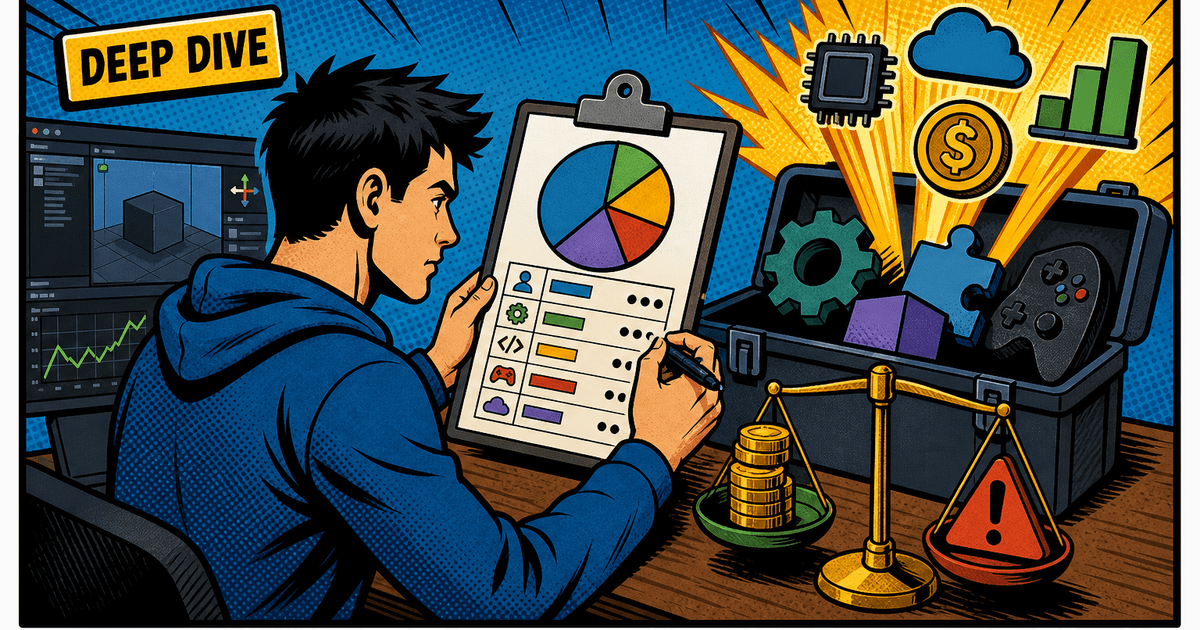
Your Toolchain Costs Real Money-Start With Visibility
Every Unity Asset Store purchase, every CI/CD subscription, every extra Unity Pro seat adds up faster than teams admit. If you can't list every tool your studio pays for right now, from memory, you've already lost track of your budget. That's the first problem a unity dev tools budget planning guide needs to solve: visibility before optimization.
Pull together an actual inventory. Not a mental estimate-a spreadsheet with these columns:
- Tool name and vendor
- Monthly or annual cost
- Number of seats/licenses
- Which team or feature it supports
- Last date it was actually used
Most studios find dead subscriptions in the first pass. A profiler add-on nobody opened in four months. Three redundant version control plugins doing the same job. That audit alone often recovers 10-20% of tooling spend before you've made a single strategic decision.
Do this quarterly, not annually. Tool sprawl compounds silently-one plugin here, one build service there-until you're paying for infrastructure that no longer matches your project's actual needs.
Editor Extensions and Plugins: What You Actually Need vs. What You're Paying For
The Asset Store makes impulse buys frictionless, and that's exactly the problem. A $40 editor extension seems trivial until you've bought fifteen of them and half sit unused in your Packages folder, still ticking on renewal.
Sort every extension into three buckets:
- Core workflow tools - version control integrations, scene management utilities, tools your team touches daily. Keep these unconditionally.
- Situational tools - level design helpers, procedural generation kits used on one feature. Budget these per-project, not as permanent line items.
- Redundant or replaceable tools - anything Unity's built-in systems now cover. Unity has absorbed functionality that used to require third-party plugins: Timeline, the new Input System, and improved prefab workflows have made entire categories of paid tools unnecessary.
Before renewing any plugin subscription, ask whether Unity's native tooling closed the gap since your last purchase. If you're still paying for a third-party animation curve editor when Timeline handles it, you're paying rent on a solved problem.
Also check licensing models. Per-seat plugin costs scale linearly with headcount, which means a tool that made sense for a 5-person team can become a five-figure annual expense at 20 people. Renegotiate or replace before that scaling catches you off guard.
Build Pipelines and CI/CD: When Automation Pays for Itself
If you're still shipping builds by hand, you're accumulating technical debt every single sprint, and it's compounding in developer hours you're not tracking. CI/CD isn't a luxury line item-it's a cost-avoidance tool, and you need to budget for it that way.
Calculate the real cost of manual builds:
- Developer hours spent triggering, monitoring, and troubleshooting builds
- Multiply by loaded hourly rate (salary + overhead)
- Multiply by builds per week
A team doing 10 manual builds a week at 30 minutes each is burning 5 hours weekly on pure process. At a $75/hour loaded rate, that's $375/week, or roughly $19,500/year, spent on something automation eliminates almost entirely.
Compare that against Unity Cloud Build, Jenkins with self-hosted runners, or GitHub Actions with Unity-specific workflows. Self-hosted CI has higher setup cost but lower marginal cost per build. Cloud-hosted CI has lower setup cost but scales with usage-fine for smaller teams, expensive at high build volume.
Budget guideline: if your team ships more than 15 builds per week, self-hosted CI infrastructure pays for itself within two to three months. Below that threshold, cloud CI's flexibility usually wins on cost.
Don't treat CI/CD budget as fixed. Revisit build frequency each quarter-feature-heavy sprints need more automation headroom than maintenance sprints.
Asset Management Tools: Addressables, Bundles, and Hidden Scaling Costs
Addressables gives you a content catalog that decouples asset references from build layout, which sounds like a pure technical decision-until you look at what it costs to run at scale. Remote content delivery isn't free, and that's the part budget planning guides usually skip.
Line items to actually budget for:
- CDN or hosting costs for remote asset bundles, which scale with player count and asset size, not just team size
- Build time overhead from Addressables Groups configuration, especially on large projects with hundreds of assets
- Tooling for bundle analysis, since debugging bundle bloat without proper profiling tools eats engineering time you didn't plan for
If you're still shipping asset bundles by hand instead of using Addressables, you're not saving money-you're deferring cost into manual bundle management overhead that grows with every content update.
The hidden scaling trap: teams budget for Addressables setup cost but forget that remote content delivery cost scales with your live player base. A mobile game with 500,000 daily active users pulling remote assets will have a materially different CDN bill than the same game at 5,000 users. Model this against projected user growth, not current numbers, or you'll get blindsided by a bill that outpaces your revenue curve.
Budget a recurring line item for bundle audits-stale or duplicate assets in Addressables Groups inflate both build size and CDN cost. A ten-minute audit today prevents a four-figure CDN overage next quarter.
Performance Profiling Tools: Profiler, Frame Debugger, and Memory Optimization
Unity's built-in Profiler and Frame Debugger cover most studios' needs without spending a dollar. Before budgeting for third-party profiling suites, confirm you've actually exhausted what ships free with the Editor.
Native tools that should be your baseline:
- Profiler - CPU/GPU usage, memory allocation, rendering cost per frame
- Frame Debugger - draw call breakdown, batching issues, shader problems
- Memory Profiler package - heap allocation tracking, leak detection
Only budget for third-party profiling tools (like specialized memory analyzers or platform-specific SDKs) when you hit a specific wall the built-in tools can't clear-console-specific memory constraints, for example, or cross-platform performance parity issues that need deeper hardware-level data.
Cost-benefit framing matters here: a profiling tool that costs $500/year but catches a memory leak before certification submission saves you a failed cert cycle, which costs far more in delayed launch and re-submission fees. That's the calculation to run before dismissing a tool as "too expensive."
Conversely, don't buy premium profiling suites as a substitute for actually reading Profiler data. Teams sometimes throw money at tooling to avoid the discipline of regular performance passes. Budget for training time on native tools before budgeting for paid alternatives.
Team Licensing: Seats, Collaboration Tools, and Seat Efficiency
Unity Pro/Enterprise licensing, version control seats, and collaboration platform subscriptions are usually the largest recurring cost in a studio's tooling budget-and the easiest to over-provision.
Audit seat usage against actual need, not headcount:
- Unity licenses - confirm every seat is tied to someone actively working in-editor, not a former contractor or a producer who never opens Unity
- Version control seats (Perforce, Plastic SCM) - check for inactive users; seat costs scale directly with headcount and rarely get cleaned up after offboarding
- Collaboration tools (Slack, project management platforms) - redundant tools doing overlapping jobs (two task trackers, three communication platforms) are a common and avoidable cost
Seat efficiency check: run a usage report every quarter across every seat-based tool. If a license hasn't been touched in 30 days, downgrade or reclaim it. This single practice, done consistently, often trims 10-15% off licensing spend without touching a single strategic decision.
Watch for tiered pricing traps. Some tools jump in cost at specific seat thresholds-19 seats might cost X, but the 20th seat pushes you into an enterprise tier at 3X the per-seat rate. Know these thresholds before adding headcount casually.
Build Your Rolling Budget: Quarterly Reviews and Reallocation
A static annual budget doesn't work for tooling because your needs shift every sprint-new features demand new tools, finished features free up licenses you're still paying for. Treat your tooling budget as a rolling, quarterly-reviewed allocation, not a fixed annual line item.
Structure the review around four questions each quarter:
- What tools went unused in the last 90 days?
- What new bottlenecks emerged that a tool could solve cheaper than engineering time?
- Did any seat-based tool cross a pricing tier threshold?
- What's the projected scaling cost (CDN, cloud build minutes, storage) for the next quarter based on current trajectory?
Reallocate, don't just cut. Money freed from a dead plugin subscription should go toward the CI/CD upgrade that's actually saving developer hours, not just disappear into "savings" that never materialize as improved velocity.
Set a hard rule: no tool renews automatically without a usage check. Auto-renewal is where budgets quietly bloat-a habit of reviewing before renewing, not after, is what separates studios with disciplined tooling spend from ones discovering forgotten subscriptions during a financial audit.
The studios that manage this well don't spend less time on budgeting overall-they spend the same time, but on a fixed quarterly cadence instead of reactive panic when the annual bill arrives. That's the actual goal of a unity dev tools budget planning guide: not cutting costs blindly, but making sure every dollar spent maps to a real, current need.
Related Reading
Article complete
XP lands automatically when you reach the end.
Rate this article
Comments
Comments are held for moderation before appearing publicly.