Game Dev Articles
Aug 6, 2026 · 9 min read · dmg dekels
Migrating to Addressables Without Breaking Your Build: A Technical Guide
Why Addressables Matter for Modern Unity Projects Unity's Addressable Asset System replaced the old Resources folder and AssetBundle workflows for good reason: it decouples asset identity from asset location, giving y...
Why Addressables Matter for Modern Unity Projects
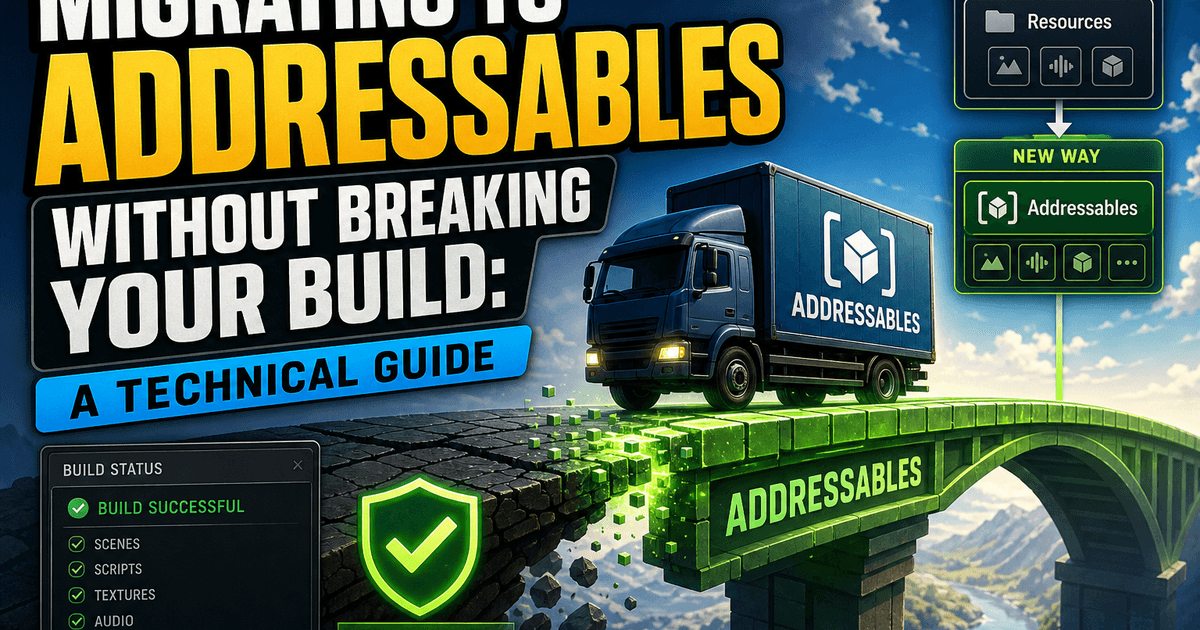
Unity's Addressable Asset System replaced the old Resources folder and AssetBundle workflows for good reason: it decouples asset identity from asset location, giving you remote content delivery, memory-efficient loading, and build size control without hand-rolled bundle management. But migrating to Addressables without breaking your build is where most teams stumble. The system touches everything - scene loading, prefab instantiation, memory lifecycle, build pipelines - so a careless migration produces null references, duplicate assets, or bundles that silently fail to resolve at runtime.
This guide walks through a migration process that treats Addressables as infrastructure, not a drop-in replacement. If you're on a live project with existing Resources calls, AssetBundles, or direct scene references, the goal isn't to convert everything overnight. It's to move incrementally while keeping your build green at every step.
Pre-Migration Audit: Identify All Asset References
Before touching the Addressables package, you need a complete map of how assets currently get loaded. Skipping this step is the single most common cause of broken builds mid-migration.
Search your codebase for these patterns:
Resources.LoadandResources.LoadAsynccalls- Direct
AssetBundle.LoadAssetusage - Serialized
UnityEngine.Objectreferences in ScriptableObjects and MonoBehaviours that point to large or dynamically-loaded assets SceneManager.LoadScenecalls using build index or path strings- Any editor scripts referencing
AssetDatabase.LoadAssetAtPathfor runtime-adjacent logic
Grep across .cs files for Resources.Load and AssetBundle.Load first - these are your hard dependencies. Then check your EditorBuildSettings.scenes list against what's actually referenced at runtime, since scenes loaded by path need special handling once they move into Addressables groups.
Build a spreadsheet or a simple markdown table: asset path, load method, calling script, and whether it's loaded on startup or on demand. This becomes your migration checklist and your rollback map if something goes wrong later. Don't skip cataloguing ScriptableObject references - they're easy to miss because they don't show up in a "Load" call search, yet they still hold hard references that inflate your build and defeat the purpose of Addressables if left unconverted.
Setting Up Addressables Groups and Labels
Once you know what you're moving, install the Addressables package and resist the urge to mark everything Addressable in one pass. Structure first, conversion second.
Create groups based on loading behavior, not folder structure:
- Local-Fixed for assets that ship in the initial build and never change (core UI, essential prefabs)
- Local-Dynamic for assets loaded on demand but still bundled locally
- Remote for content you intend to update independently of app releases (DLC, seasonal content, large audio/video)
Each group needs a clear Build Path and Load Path convention. For remote groups, point the load path at your CDN or hosting endpoint now, even if you're not using remote delivery yet - retrofitting this later means republishing content and touching client code again.
Use labels, not group names, to categorize by content type ("environment", "character", "audio-vo-en"). Labels let you load by category (Addressables.LoadAssetsAsync<T>(label)) without caring which group an asset physically lives in, which keeps your querying code stable even as you reorganize groups during migration.
Set a consistent naming scheme for addresses early. Changing an address after code depends on it means a find-and-replace across every load call - annoying, but far less painful than doing it after shipping to production.
Converting Direct References to Addressable Handles
This is the step most likely to break your build if rushed, so convert in small batches, testing after each one.
For Resources.Load<T>("path") calls, the direct swap is:
AsyncOperationHandle<GameObject> handle = Addressables.LoadAssetAsync<GameObject>("address");
yield return handle;
if (handle.Status == AsyncOperationStatus.Succeeded)
{
    var instance = Instantiate(handle.Result);
}
The critical difference from Resources.Load is that this is asynchronous by default - there's no synchronous equivalent that doesn't block on WaitForCompletion(), which you should avoid except in narrow editor or startup-blocking cases. Every caller that assumed synchronous loading needs to become async-aware, which usually means converting a method to a coroutine or async/await pattern, not just swapping the load line.
For serialized hard references in MonoBehaviours and ScriptableObjects, replace UnityEngine.Object fields with AssetReference or AssetReferenceT<T>:
public AssetReferenceT<GameObject> enemyPrefab;
This forces the Inspector to bind an Addressable entry rather than a hard asset, breaking the direct dependency that was bloating your build. Load it with:
enemyPrefab.LoadAssetAsync().Completed += OnEnemyLoaded;
For scenes, replace SceneManager.LoadScene with Addressables.LoadSceneAsync, and mark the scene Addressable rather than leaving it in Build Settings - a scene can't cleanly be both without causing duplicate-inclusion warnings.
Track every converted call against your audit spreadsheet. If a caller can't easily go async yet (tight coupling to a synchronous code path), leave it on the old system for now and flag it - partial migration is fine as long as it's tracked and intentional, not accidental.
Testing Load Paths and Handling Edge Cases
Addressables failures are often silent in the editor because of Fast Mode simulation, then loud in a built player. Test in Play Mode Script mode (mimicking real bundle loading) and in an actual built player before trusting any conversion.
Specific things to verify:
- Handle release discipline. Every
LoadAssetAsyncneeds a matchingAddressables.Release(handle)when you're done with the asset. Leaked handles cause memory to climb silently over a play session - profile memory across repeated load/unload cycles, not just a single load. - Missing or renamed addresses. If an address string was typo'd or an asset was renamed after being made Addressable, the load fails at runtime with a status of
Failed, not a compile error. Wrap every load with an explicit status check and log a clear error rather than assuming success. - Dependency chains. An Addressable prefab referencing another asset that wasn't itself made Addressable will pull in that dependency automatically - but it may land in an unexpected group, bloating a bundle you intended to keep small. Use the Addressables Analyze tool's "Check Bundle Dependencies" rule after every batch of conversions.
- Platform-specific catalogs. If you build for multiple platforms, confirm the content catalog is being generated per-platform and that remote catalogs (if used) are versioned correctly - a stale catalog pointing at removed bundles is a common post-release crash source.
- Scene load order.
LoadSceneAsyncthrough Addressables doesn't automatically activate the scene unless you setactivateOnLoad; if code was relying on synchronous scene activation, you'll get frame-timing bugs that only show up under specific load conditions.
Run these tests on a clean install, not just an editor session with cached bundles - cached local state hides catalog and dependency issues that will hit real users.
Rolling Out Addressables in Staged Releases
Don't ship a full migration in one release. Stage it across at least two or three release cycles, each independently testable and revertible.
Stage 1: Infrastructure only. Add the Addressables package, set up groups and labels, and convert your lowest-risk assets - things loaded once at startup with no complex dependency chains. Ship this and monitor for regressions before touching anything else.
Stage 2: On-demand content. Convert dynamically loaded assets (level content, optional cosmetics, downloadable audio). This is where remote delivery, if you're using it, gets validated under real network conditions. Feature-flag the remote-loading path so you can force local fallback if the CDN or catalog has issues post-launch.
Stage 3: Core system conversion. Convert the remaining high-traffic references - main menu assets, gameplay-critical prefabs - only after Stages 1 and 2 have proven stable in production for at least one full release cycle.
At each stage, keep the old loading path available behind a compile flag or config toggle where feasible. If Addressables introduces a regression you can't fix quickly, you want a fast rollback that doesn't require an emergency migration reversal under pressure.
Version your content catalogs deliberately and document which app version maps to which catalog version - mismatches between an updated client and stale remote catalog are a top cause of "works in QA, breaks in production" reports.
Common Migration Pitfalls and How to Avoid Them
Marking too much Addressable at once. Bulk-converting an entire Resources folder in one pass produces enormous diffs, hides dependency issues, and makes rollback nearly impossible. Convert by feature area, test, then move to the next.
Ignoring implicit duplicate assets. If the same texture or prefab is referenced by two different Addressable groups without a shared dependency setup, Addressables will duplicate it into both bundles, silently increasing build size. Run the "Check Duplicate Bundle Dependencies" Analyze rule regularly, not just once at the end.
Forgetting to release handles in pooled objects. Object pools that instantiate from Addressables need explicit handle tracking per pooled instance - releasing the handle too early destroys an asset still in use; never releasing it leaks memory across the pool's lifetime.
Assuming editor behavior matches build behavior. Fast Mode in the editor loads directly from the AssetDatabase and masks catalog, bundle, and dependency errors that only appear in Play Mode Script mode or an actual build. Never sign off a migration step based on editor testing alone.
Skipping catalog versioning strategy. Teams that add remote catalogs late in migration often find they've shipped a client build with no update path for content already in players' hands. Decide your catalog and content versioning scheme before your first remote group ships, not after.
Underestimating async conversion ripple effects. Converting one synchronous load call to async often means several calling methods up the chain also need to become async. Budget time for this ripple, not just the direct load-call swap - it's usually the largest source of schedule slippage in an Addressables migration.
Migrating to Addressables without breaking your build comes down to sequencing: audit thoroughly, convert in small verifiable batches, test in real build conditions, and stage your rollout so any regression is caught before it reaches every user. Treat it as an ongoing infrastructure change rather than a one-time refactor, and it will pay off in build size, load performance, and content flexibility long after the migration itself is finished.
Related Reading
Article complete
XP lands automatically when you reach the end.
Rate this article
Comments
Comments are held for moderation before appearing publicly.