
What to Look for in Indie Game Dev Tools
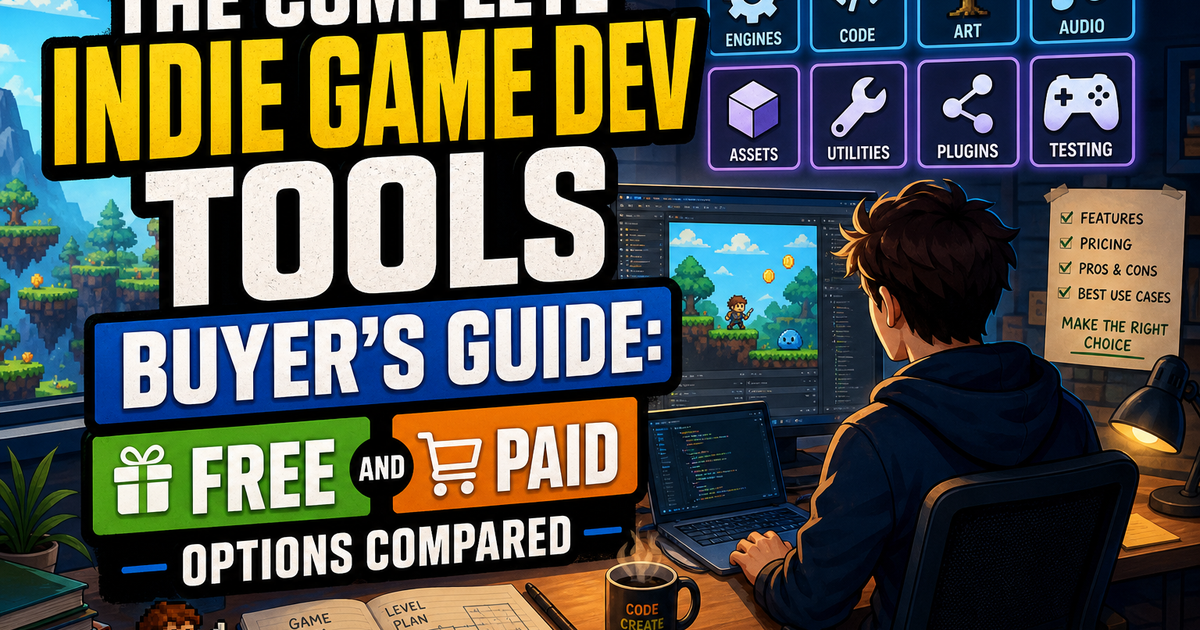
Before you download a single engine or plugin, get clear on what actually matters for your project. This indie game dev tools buyer’s guide exists because too many solo developers and small teams burn weeks evaluating software instead of building games. The right toolkit isn’t the most expensive one — it’s the one that matches your genre, your team size, and your technical comfort level.
Evaluate every tool against four criteria: learning curve, platform support, community size, and total cost of ownership. A free engine with a steep learning curve can cost you more in time than a paid tool with better documentation. Platform support matters if you’re targeting consoles or mobile — some free tiers restrict export options. Community size determines how fast you get unstuck when something breaks at 11 PM. And total cost of ownership means looking past the sticker price to asset store purchases, plugin subscriptions, and middleware royalties.
Also consider whether a tool locks you into proprietary formats. Portability matters more than it seems when you’re three years into a project and want to switch renderers or move to a new engine version. Prioritize tools with active development, transparent roadmaps, and export options that don’t trap your work.
Game Engines: Unity vs. Unreal vs. Godot
Unity remains the default choice for 2D games, mobile titles, and developers who want the largest asset store and tutorial ecosystem. It’s free until you cross specific revenue thresholds, and its C# scripting is approachable for beginners. The tradeoff: past licensing controversies have shaken developer trust, and the editor can feel bloated for small projects. If you go Unity, budget time to learn its packaging system and understand current pricing tiers before committing to a long production cycle.
Unreal Engine wins for visual fidelity, especially in 3D and cinematic projects. Blueprints let non-programmers prototype gameplay without writing code, and Unreal’s royalty model (a percentage after a revenue threshold, no upfront cost) is generous for indies who aren’t shipping AAA-scale hits. The catch is hardware demand and file size — Unreal projects are heavy, and iteration can feel sluggish on older machines. It’s the strongest option if your game leans on realistic lighting, large environments, or third-person action mechanics.
Godot is the free and open-source alternative gaining serious traction. No royalties, no revenue thresholds, ever. Its GDScript language is Python-like and easy to pick up, and the engine is lightweight enough to run on modest hardware. Godot 4 closed much of the rendering gap with its bigger competitors, making it viable for both 2D and 3D projects. The community is smaller than Unity’s or Unreal’s, so expect fewer third-party tutorials and plugins — but what exists is often high quality and actively maintained.
How to choose: pick Unity for mobile and 2D-heavy projects with asset store dependency, Unreal for visually ambitious 3D games where royalties are an acceptable tradeoff, and Godot if you want zero licensing risk and don’t mind a smaller ecosystem. Whichever you choose, build a small prototype first — a week-long test project reveals workflow friction that documentation never will.
Art and Animation Tools for Solo Developers
Art is where solo developers often lose the most time, so tool choice here directly affects your shipping timeline.
Krita is a free, open-source painting program built for digital illustration and concept art. It handles brush work, animation frames, and texture painting well, making it a strong no-cost alternative to Photoshop for 2D sprite work and promotional art.
Aseprite is the industry-standard pixel art and sprite animation tool for a reason. It’s not free (a modest one-time fee), but its onion-skinning, palette management, and animation timeline are purpose-built for game sprites in a way general image editors aren’t. If your game uses pixel art, this is worth the money.
Blender deserves special mention because it does more than 3D modeling — it handles rigging, animation, texture baking, and even video editing for your trailer, all for free. The learning curve is real, but the payoff is a fully free 3D content pipeline that rivals paid suites costing hundreds per year.
GIMP covers general image editing, texture creation, and UI mockups without a subscription. It’s less polished than Photoshop but entirely capable for indie production needs.
For developers without a strong art background, itch.io and Kenney.nl offer libraries of free and low-cost game assets — sprites, tilesets, UI kits, and sound-ready art packs — that let you prototype or even ship without hiring an artist. Kenney’s assets in particular are public domain, meaning zero licensing headaches down the road. Mixing purchased or free asset packs with custom touch-up work in Krita or Aseprite is a legitimate, common strategy for one-person teams racing toward a playable build.
Audio Production and Implementation Tools
Sound design gets neglected by solo developers more than any other discipline, usually because the tools feel intimidating. They don’t need to be.
Audacity is free, open-source, and sufficient for recording, editing, and cleaning up voice lines or sound effects. It won’t win awards for interface design, but it does the job for basic waveform editing, noise reduction, and format conversion.
LMMS and Cakewalk by BandLab are free digital audio workstations capable of producing full music tracks with virtual instruments and MIDI support. If you’re composing your own soundtrack without a budget, either is a legitimate starting point.
For implementation — actually getting audio to behave correctly inside your engine, with layered loops, dynamic mixing, and adaptive music — FMOD and Wwise are the two dominant middleware tools. Both offer free tiers for indie developers below certain revenue thresholds, and both integrate directly with Unity, Unreal, and Godot. Learning either takes dedicated time, but the payoff is audio that reacts to gameplay state instead of playing static loops. If your game has more than a handful of sound cues, middleware pays for itself in reduced scripting headaches.
For developers who need music or sound effects without composing from scratch, Freesound.org offers a massive Creative Commons library of effects and ambient recordings, and sites like OpenGameArt.org bundle royalty-free music tracks specifically tagged for game use. Always double-check license terms — some Creative Commons tracks require attribution, which is a small price for free, usable audio.
Version Control and Project Management Software
Solo developers skip version control at their own risk. One corrupted project file or one bad merge can erase weeks of work, and “I’ll back it up later” is how that happens.
Git paired with GitHub or GitLab is the standard, and both offer free private repositories generous enough for solo and small-team use. The catch: Git wasn’t designed for large binary files like game assets, textures, and audio. That’s where Git LFS (Large File Storage) comes in, letting you version large binaries without bloating your repository size to unmanageable levels.
Plastic SCM (now integrated with Unity as Unity Version Control) is built specifically with game development binaries in mind and handles large files more gracefully out of the box than raw Git. It’s free for small teams under a certain user count, making it a strong alternative if Git LFS feels clunky.
For project management, you don’t need enterprise software. Trello and Notion both offer free tiers sufficient for tracking a backlog, sprint tasks, and bug lists for a one-to-five person team. Hacknplan is purpose-built for game development specifically, with templates for design documents, milestones, and asset tracking — worth trying if generic kanban boards feel too loose for your workflow.
Whatever you choose, commit early and commit often. A daily backup habit, even a manual one, is non-negotiable insurance against lost work.
Monetization and Publishing Platforms
Building the game is half the job; getting it in front of players and generating revenue is the other half.
Steam remains the dominant PC storefront, with a one-time submission fee that’s refunded after you hit a minimum revenue threshold. Steam’s discovery algorithm and wishlist system make it worth the fee for most premium releases, but competition is fierce — over a dozen games launch daily. Steamworks provides achievements, cloud saves, and trading card integration at no extra cost beyond the initial fee.
itch.io is free to publish on and offers flexible, pay-what-you-want pricing models. It’s the preferred platform for game jams, experimental releases, and demos, and its lower barrier to entry makes it an excellent testing ground before a bigger launch elsewhere.
Epic Games Store offers better revenue splits than Steam and occasionally funds indie titles directly, though its user base and discovery tools are smaller.
For mobile, Google Play and Apple’s App Store both require developer accounts (a one-time fee for Google, an annual fee for Apple) and take a cut of revenue, though that cut drops for developers under certain earnings thresholds — a meaningful break for small studios.
Regardless of platform, budget time for store page assets: trailers, screenshots, and descriptions matter as much as the build itself. Tools like OBS Studio (free, open-source) handle trailer capture and streaming, while DaVinci Resolve‘s free tier covers trailer editing without a subscription.
Building Your Toolkit on Any Budget
You don’t need a large budget to build professional-quality games — you need the right combination of free and paid tools matched to your specific project. A genuinely workable zero-cost stack looks like this: Godot for the engine, Krita and Kenney assets for art, LMMS and Freesound for audio, Git and GitHub for version control, and itch.io for publishing. That pipeline costs nothing and has shipped real, successful games.
As revenue or savings allow, layer in paid upgrades strategically: Aseprite for serious pixel art, FMOD or Wwise for adaptive audio, and a Steam listing once you have a marketable build. Spend money on tools that save the most time or unlock capability you genuinely lack — not on software that merely looks more professional.
The best indie toolkit is the one you’ll actually finish a game with. Start free, prototype fast, and upgrade only when a specific tool is genuinely holding your project back.